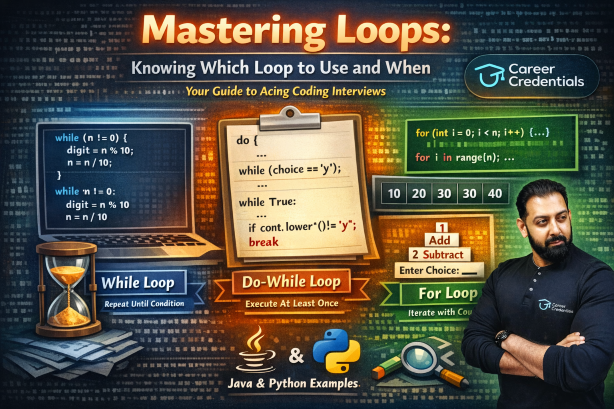

By Dr. Amar Panchal @ Career Credentials
The Interview Story That Changed Everything
Picture this: You're sitting across from a senior developer in your first technical interview. They lean forward and ask, "Tell me, when would you use a simple if versus a switch statement?"
Your mind races. You know what these statements do, but when to use each one? That's the question that stumps most beginners.
Let me share the framework I've taught to hundreds of students that not only answers this question but transforms how you think about decision-making in code.
The Golden Rule: Match Your Code to Your Decision
Programming is just teaching a computer to make decisions. But here's the secret: the number and type of decisions you're making determines which conditional statement you should use.
Let's break this down like we're solving a real-world problem.
Scenario 1: The Single Question (Simple if)
When to use: You have ONE condition to check, and you only care about acting when it's true.
Real-World Analogy
Think of checking your phone battery:
- "If my battery is below 20%, show me a warning."
- That's it. Just one check.
Java Example
java
public class BatteryChecker {
    public static void main(String[] args) {
        int batteryLevel = 15;

        // Single condition: only care when battery is low
        if (batteryLevel < 20) {
            System.out.println("⚠️ Warning: Battery is low!");
        }

        System.out.println("Program continues...");
    }
}
Python Example
def check_battery():
    battery_level = 15

    # Single condition: only care when battery is low
    if battery_level < 20:
        print("⚠️ Warning: Battery is low!")

    print("Program continues...")

check_battery()
Interview Tip: When asked "Why use a simple if?", say: "When I only need to handle one specific case and don't care about the alternative."
Scenario 2: The Fork in the Road (if-else)
When to use: You have TWO mutually exclusive outcomes - one thing happens if true, another if false.
Real-World Analogy
It's like a door:
- Either it's locked (do one thing)
- Or it's unlocked (do something else)
- There's no third option.
Java Example
public class AccessControl {
    public static void main(String[] args) {
        boolean hasAccessCard = true;

        // Two outcomes: either you get in or you don't
        if (hasAccessCard) {
            System.out.println("✓ Access granted. Welcome!");
        } else {
            System.out.println("✗ Access denied. Please contact security.");
        }
    }
}
Python Example
def check_access():
    has_access_card = True

    # Two outcomes: either you get in or you don't
    if has_access_card:
        print("✓ Access granted. Welcome!")
    else:
        print("✗ Access denied. Please contact security.")

check_access()
Interview Tip: Use if-else when you need to say: "Do this, OTHERWISE do that." The key word is "otherwise" - it means exactly two paths.
Scenario 3: The Multiple Checkpoints (if-else if-else)
When to use: You have 3 or more conditions to check in a specific order, with different ranges or priorities.
Real-World Analogy
Think of grading an exam:
- If score >= 90: Grade A
- Else if score >= 80: Grade B
- Else if score >= 70: Grade C
- Else: Grade F
Each condition is checked in order, and we stop at the first match.
Java Example
public class GradeCalculator {
    public static void main(String[] args) {
        int score = 85;
        String grade;

        // Multiple conditions checked in priority order
        if (score >= 90) {
            grade = "A - Outstanding!";
        } else if (score >= 80) {
            grade = "B - Great job!";
        } else if (score >= 70) {
            grade = "C - Good effort!";
        } else if (score >= 60) {
            grade = "D - Needs improvement";
        } else {
            grade = "F - Please see instructor";
        }

        System.out.println("Your grade: " + grade);
    }
}
Python Example
def calculate_grade(score):
    # Multiple conditions checked in priority order
    if score >= 90:
        grade = "A - Outstanding!"
    elif score >= 80:
        grade = "B - Great job!"
    elif score >= 70:
        grade = "C - Good effort!"
    elif score >= 60:
        grade = "D - Needs improvement"
    else:
        grade = "F - Please see instructor"

    print(f"Your grade: {grade}")

calculate_grade(85)
Interview Tip: Use if-else if-else when conditions have ranges or priority order. The computer checks top to bottom and stops at the first true condition.
Scenario 4: The Menu Selection (switch)
When to use: You're checking ONE variable against EXACT values (like a menu with specific options).
Real-World Analogy
Think of a restaurant menu:
- Option 1: Burger
- Option 2: Pizza
- Option 3: Salad
- You're picking ONE exact option from a fixed list.
Java Example
public class MenuSystem {
    public static void main(String[] args) {
        int dayOfWeek = 3;
        String activity;

        // Switch: checking one variable against exact values
        switch (dayOfWeek) {
            case 1:
                activity = "Monday: Team Meeting";
                break;
            case 2:
                activity = "Tuesday: Code Review";
                break;
            case 3:
                activity = "Wednesday: Development Sprint";
                break;
            case 4:
                activity = "Thursday: Testing Phase";
                break;
            case 5:
                activity = "Friday: Deployment";
                break;
            case 6:
            case 7:
                activity = "Weekend: Rest & Learning";
                break;
            default:
                activity = "Invalid day";
                break;
        }

        System.out.println(activity);
    }
}
Python Example
def get_weekly_activity(day_of_week):
    # Python 3.10+ has match-case (similar to switch)
    # For older Python, use dictionary mapping

    activities = {
        1: "Monday: Team Meeting",
        2: "Tuesday: Code Review",
        3: "Wednesday: Development Sprint",
        4: "Thursday: Testing Phase",
        5: "Friday: Deployment",
        6: "Weekend: Rest & Learning",
        7: "Weekend: Rest & Learning"
    }

    activity = activities.get(day_of_week, "Invalid day")
    print(activity)

# Python 3.10+ match-case syntax
def get_activity_modern(day_of_week):
    match day_of_week:
        case 1:
            activity = "Monday: Team Meeting"
        case 2:
            activity = "Tuesday: Code Review"
        case 3:
            activity = "Wednesday: Development Sprint"
        case 4:
            activity = "Thursday: Testing Phase"
        case 5:
            activity = "Friday: Deployment"
        case 6 | 7:
            activity = "Weekend: Rest & Learning"
        case _:
            activity = "Invalid day"

    print(activity)

get_weekly_activity(3)
Interview Tip: Use switch (or match-case in Python) when you have exact, discrete options to check against one variable. It's cleaner and more readable than multiple if-else statements for this scenario.
The Decision Tree: A Visual Guide
Here's how to choose in an interview setting:
START: What am I checking?
    │
    ├─ Single condition, only care if TRUE?
    │  └─→ Use: if
    │
    ├─ Two outcomes (true/false)?
    │  └─→ Use: if-else
    │
    ├─ Multiple ranges or priorities (3+)?
    │  └─→ Use: if-else if-else
    │
    └─ One variable vs. exact values (like menu)?
       └─→ Use: switch/match-case
Common Interview Questions & Perfect Answers
Q1: "Why not just use if-else for everything?"
Perfect Answer: "While you technically could, choosing the right conditional makes code more readable and maintainable. A switch statement immediately tells other developers 'we're checking one variable against fixed options.' An if-else if chain suggests 'we're evaluating ranges or priorities.' Good code communicates intent."
Q2: "What's the performance difference?"
Perfect Answer: "For most cases, the performance difference is negligible. However, switch statements can be slightly faster with many cases because some compilers optimize them into jump tables. That said, readability should be your primary concern unless you're in a performance-critical section of code."
Q3: "Can you give me a real-world example of when you'd use each?"
Perfect Answer:
- if: "Validating user input - if(password.isEmpty()) show error"
- if-else: "User authentication - either logged in or not"
- if-else if-else: "Calculating shipping costs based on weight ranges"
- switch: "Handling different user roles (admin, editor, viewer)"
The Practice Challenge
Here's a problem I give to all my students:
Problem: Build a simple traffic light system that:
- Takes a color input (red, yellow, green)
- Displays the appropriate action
- Handles invalid colors
Try solving this yourself, then compare with my solutions below.
Java Solution
public class TrafficLight {
    public static void main(String[] args) {
        String lightColor = "yellow";

        switch (lightColor.toLowerCase()) {
            case "red":
                System.out.println("🛑 STOP - Do not proceed");
                break;
            case "yellow":
                System.out.println("⚠️ CAUTION - Slow down");
                break;
            case "green":
                System.out.println("✅ GO - Proceed safely");
                break;
            default:
                System.out.println("❌ ERROR - Invalid light color");
                break;
        }
    }
}
Python Solution
def traffic_light_action(light_color):
    # Using match-case (Python 3.10+)
    match light_color.lower():
        case "red":
            print("🛑 STOP - Do not proceed")
        case "yellow":
            print("⚠️ CAUTION - Slow down")
        case "green":
            print("✅ GO - Proceed safely")
        case _:
            print("❌ ERROR - Invalid light color")

# Alternative: Dictionary approach (works in all Python versions)
def traffic_light_dict(light_color):
    actions = {
        "red": "🛑 STOP - Do not proceed",
        "yellow": "⚠️ CAUTION - Slow down",
        "green": "✅ GO - Proceed safely"
    }

    action = actions.get(light_color.lower(), "❌ ERROR - Invalid light color")
    print(action)

traffic_light_action("yellow")
Your Takeaway Cheat Sheet
| Scenario | Use This | Example |
|---|---|---|
| 1 condition to check | if | "If battery < 20%, alert" |
| 2 outcomes (yes/no) | if-else | "If password correct, login, else error" |
| 3+ conditions (ranges/priorities) | if-else if-else | "Grade based on score ranges" |
| 1 variable vs exact options | switch/match | "Day of week → activity" |
Final Wisdom for Your Interview
When an interviewer asks about conditionals, they're not just testing your syntax knowledge. They're evaluating:
- Do you understand the problem? (Can you identify how many conditions exist?)
- Can you write clean code? (Do you choose the most readable solution?)
- Do you think like a developer? (Do you consider maintainability?)
The developer who writes:
java
if (day == 1) { ... }
else if (day == 2) { ... }
else if (day == 3) { ... }
// ... continues for 7 days
Is less impressive than the developer who writes:
java
switch (day) {
    case 1: ... break;
    case 2: ... break;
    // Clean, clear intent
}
Both work. One shows understanding.
Your Next Steps
- Practice identifying the type of decision before writing code
- Refactor old code - find if-else chains that should be switches
- Explain your choices - practice saying "I used X because..."
Remember: Great programmers don't just write code that works. They write code that communicates.
About the Author
Dr. Amar Panchal is a technical educator and career mentor at Career Credentials, helping thousands of developers master the fundamentals that matter in interviews and real-world development.