
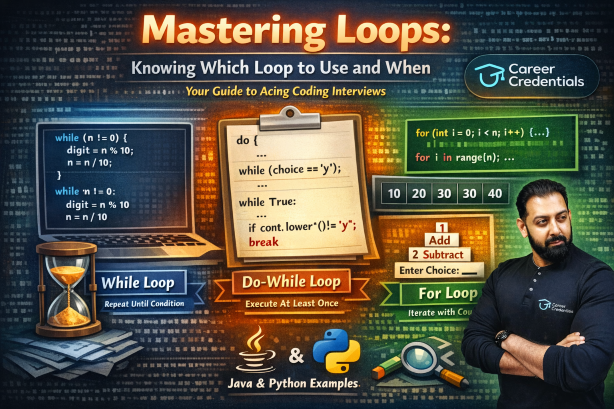
Mastering Loops: Knowing Which Loop to Use and When
Your ultimate guide to choosing the right loop for the right problem — a must-read for interview preparation.
Every programmer learns loops early, but surprisingly few develop a clear instinct for which loop fits which problem. In interviews, choosing the right loop isn't just about getting the correct output — it signals to the interviewer that you think structurally about problems. This guide breaks down the three core loops — while, do-while, and for — and maps each one to the problem categories where it shines.
All examples are provided in both Java and Python so you can practice in the language most relevant to your interview.
Python Note: Python does not have a built-in
do-whileloop. We simulate it usingwhile Truewith abreakcondition at the end of the loop body — a standard and widely accepted pattern.
The Core Principle
Before diving in, internalize this simple decision framework:
- Know the count beforehand? → Use a
forloop. - Don't know the count, but know the condition? → Use a
whileloop. - Must execute at least once, then check? → Use a
do-whileloop.
That's the foundation. Now let's see how real problem categories map to each loop.
1. The while Loop — Champion of Digit Extraction & Separation
Why while?
Problems involving digits — extracting them, summing them, reversing a number, counting digits — share a common trait: you don't know how many digits the number has ahead of time. You only know the stopping condition: keep going until the number becomes zero. This is the textbook scenario for a while loop.
How It Works
The modulus operator (%) peels off the last digit, and integer division (/ in Java, // in Python) chops it away. The loop naturally terminates when all digits have been processed.
Java:
while (n != 0) {
    int digit = n % 10;   // extract the last digit
    n = n / 10;            // remove the last digit
}
Python:
while n != 0:
    digit = n % 10   # extract the last digit
    n = n // 10       # remove the last digit
Example 1: Sum of Digits
Problem: Given a number n = 9243, find the sum of its digits.
Java:
public class SumOfDigits {
    public static void main(String[] args) {
        int n = 9243, sum = 0;

        while (n != 0) {
            int digit = n % 10;    // Extract last digit: 3, 4, 2, 9
            sum = sum + digit;      // Accumulate the sum
            n = n / 10;             // Remove last digit
        }

        System.out.println("Sum of digits: " + sum);  // Output: 18
    }
}
Python:
n = 9243
sum_digits = 0

while n != 0:
    digit = n % 10        # Extract last digit: 3, 4, 2, 9
    sum_digits += digit    # Accumulate the sum
    n = n // 10            # Remove last digit

print("Sum of digits:", sum_digits)  # Output: 18
Dry Run:
| Iteration | n | digit | sum |
|---|---|---|---|
| 1 | 9243 | 3 | 3 |
| 2 | 924 | 4 | 7 |
| 3 | 92 | 2 | 9 |
| 4 | 9 | 9 | 18 |
| End | 0 | — | 18 |
Example 2: Reverse a Number
Problem: Reverse the digits of n = 1234.
Java:
public class ReverseNumber {
    public static void main(String[] args) {
        int n = 1234, rev = 0;

        while (n != 0) {
            rev = rev * 10 + n % 10;
            n = n / 10;
        }

        System.out.println("Reversed number: " + rev);  // Output: 4321
    }
}
Python:
n = 1234
rev = 0

while n != 0:
    rev = rev * 10 + n % 10
    n = n // 10

print("Reversed number:", rev)  # Output: 4321
The key insight here is rev = rev * 10 + n % 10 — it shifts existing reversed digits left and appends the newly extracted digit.
Example 3: Count the Number of Digits
Java:
public class CountDigits {
    public static void main(String[] args) {
        int n = 54321, count = 0;

        while (n != 0) {
            count++;
            n = n / 10;
        }

        System.out.println("Number of digits: " + count);  // Output: 5
    }
}
Python:
n = 54321
count = 0

while n != 0:
    count += 1
    n = n // 10

print("Number of digits:", count)  # Output: 5
Why Not for?
You could force a for loop here, but it would feel unnatural. There's no clear counter variable incrementing from a start to an end. The loop is governed purely by a condition on the data itself — and that's while territory.
2. The do-while Loop — Built for Menu-Driven Programs
Why do-while?
A menu-driven program always needs to show the menu at least once before asking the user if they want to continue. This "execute first, check later" behavior is exactly what do-while was designed for. A regular while loop checks the condition before the first execution, which would require duplicating the menu display code or using an awkward flag variable.
The Pattern
Java:
do {
    // Display menu
    // Take user input
    // Process the choice
    // Ask: "Do you want to continue?"
} while (choice == 'y' || choice == 'Y');
Python (simulated):
while True:
    # Display menu
    # Take user input
    # Process the choice
    cont = input("Do you want to continue? (y/n): ")
    if cont.lower() != 'y':
        break
Example 4: Simple Calculator Menu
Java:
import java.util.Scanner;

public class Calculator {
    public static void main(String[] args) {
        Scanner sc = new Scanner(System.in);
        char cont;

        do {
            System.out.println("\n===== CALCULATOR =====");
            System.out.println("1. Addition");
            System.out.println("2. Subtraction");
            System.out.println("3. Multiplication");
            System.out.println("4. Division");
            System.out.print("Enter your choice: ");
            int choice = sc.nextInt();

            System.out.print("Enter two numbers: ");
            int a = sc.nextInt();
            int b = sc.nextInt();

            switch (choice) {
                case 1: System.out.println("Result: " + (a + b)); break;
                case 2: System.out.println("Result: " + (a - b)); break;
                case 3: System.out.println("Result: " + (a * b)); break;
                case 4:
                    if (b != 0)
                        System.out.println("Result: " + ((double) a / b));
                    else
                        System.out.println("Error: Division by zero!");
                    break;
                default: System.out.println("Invalid choice!");
            }

            System.out.print("\nDo you want to continue? (y/n): ");
            cont = sc.next().charAt(0);

        } while (cont == 'y' || cont == 'Y');

        System.out.println("Thank you for using the calculator!");
        sc.close();
    }
}
Python:
while True:
    print("\n===== CALCULATOR =====")
    print("1. Addition")
    print("2. Subtraction")
    print("3. Multiplication")
    print("4. Division")
    choice = int(input("Enter your choice: "))

    a = int(input("Enter first number: "))
    b = int(input("Enter second number: "))

    if choice == 1:
        print("Result:", a + b)
    elif choice == 2:
        print("Result:", a - b)
    elif choice == 3:
        print("Result:", a * b)
    elif choice == 4:
        if b != 0:
            print("Result:", a / b)
        else:
            print("Error: Division by zero!")
    else:
        print("Invalid choice!")

    cont = input("\nDo you want to continue? (y/n): ")
    if cont.lower() != 'y':
        break

print("Thank you for using the calculator!")
Example 5: Input Validation
Another classic do-while use case — forcing the user to enter valid input:
Java:
import java.util.Scanner;

public class InputValidation {
    public static void main(String[] args) {
        Scanner sc = new Scanner(System.in);
        int age;

        do {
            System.out.print("Enter your age (1-120): ");
            age = sc.nextInt();

            if (age < 1 || age > 120)
                System.out.println("Invalid! Please try again.");

        } while (age < 1 || age > 120);

        System.out.println("Your age is: " + age);
        sc.close();
    }
}
Python:
while True:
    age = int(input("Enter your age (1-120): "))

    if 1 <= age <= 120:
        break
    else:
        print("Invalid! Please try again.")

print("Your age is:", age)
Here, you must ask for input at least once before you can validate it. A while loop would require an extra prompt before the loop — messy and redundant.
The Interview Angle
When an interviewer asks you to build a menu-driven program, reaching for do-while (or the while True + break pattern in Python) immediately shows that you understand the semantics of the construct, not just its syntax.
3. The for Loop — King of Arrays, Strings, and Pattern Printing
Why for?
When you know (or can calculate) exactly how many times a loop should run, for is the cleanest choice. Arrays have a fixed size. Strings have a known length. Patterns have a defined number of rows and columns. In all these cases, a counter-driven loop is the most expressive and readable option.
Category A: Array Traversal
Example 6: Find the Maximum Element
Java:
public class MaxElement {
    public static void main(String[] args) {
        int[] arr = {12, 45, 7, 89, 23, 56};
        int max = arr[0];

        for (int i = 1; i < arr.length; i++) {
            if (arr[i] > max)
                max = arr[i];
        }

        System.out.println("Maximum element: " + max);  // Output: 89
    }
}
Python:
arr = [12, 45, 7, 89, 23, 56]
max_val = arr[0]

for i in range(1, len(arr)):
    if arr[i] > max_val:
        max_val = arr[i]

print("Maximum element:", max_val)  # Output: 89
The for loop is perfect here: you start at index 1, end at the last index, and increment by 1 each step. All the loop control information is clean and readable.
Example 7: Linear Search
Java:
public class LinearSearch {
    public static void main(String[] args) {
        int[] arr = {10, 25, 30, 45, 50};
        int key = 30, found = -1;

        for (int i = 0; i < arr.length; i++) {
            if (arr[i] == key) {
                found = i;
                break;
            }
        }

        if (found != -1)
            System.out.println("Element found at index " + found);
        else
            System.out.println("Element not found");
    }
}
Python:
arr = [10, 25, 30, 45, 50]
key = 30
found = -1

for i in range(len(arr)):
    if arr[i] == key:
        found = i
        break

if found != -1:
    print("Element found at index", found)
else:
    print("Element not found")
Category B: String Operations
Example 8: Count Vowels in a String
Java:
public class CountVowels {
    public static void main(String[] args) {
        String str = "Interview Preparation";
        int count = 0;

        for (int i = 0; i < str.length(); i++) {
            char ch = Character.toLowerCase(str.charAt(i));
            if (ch == 'a' || ch == 'e' || ch == 'i' || ch == 'o' || ch == 'u') {
                count++;
            }
        }

        System.out.println("Number of vowels: " + count);  // Output: 8
    }
}
Python:
string = "Interview Preparation"
count = 0

for ch in string:
    if ch.lower() in "aeiou":
        count += 1

print("Number of vowels:", count)  # Output: 8
Python Tip: Notice how Python's
for ch in stringiterates directly over characters — no index needed. This is one of Python's strengths for string problems.
Example 9: Reverse a String In-Place
Java:
public class ReverseString {
    public static void main(String[] args) {
        char[] str = "Hello".toCharArray();
        int len = str.length;

        for (int i = 0; i < len / 2; i++) {
            char temp = str[i];
            str[i] = str[len - 1 - i];
            str[len - 1 - i] = temp;
        }

        System.out.println("Reversed string: " + new String(str));  // Output: olleH
    }
}
Python:
# Using a for loop to demonstrate the swap logic
str_list = list("Hello")
length = len(str_list)

for i in range(length // 2):
    str_list[i], str_list[length - 1 - i] = str_list[length - 1 - i], str_list[i]

print("Reversed string:", "".join(str_list))  # Output: olleH

# Pythonic shortcut (good to mention in interviews):
# reversed_str = "Hello"[::-1]
Category C: Pattern Printing
Pattern problems almost always require nested for loops — an outer loop for rows and an inner loop for columns.
Example 10: Right-Angled Triangle
For n = 5:
*
* *
* * *
* * * *
* * * * *
Java:
public class RightTriangle {
    public static void main(String[] args) {
        int n = 5;

        for (int i = 1; i <= n; i++) {           // Rows
            for (int j = 1; j <= i; j++) {        // Columns
                System.out.print("* ");
            }
            System.out.println();
        }
    }
}
Python:
n = 5

for i in range(1, n + 1):         # Rows
    for j in range(1, i + 1):     # Columns
        print("*", end=" ")
    print()
Example 11: Number Pyramid
For n = 5:
    1
   1 2
  1 2 3
 1 2 3 4
1 2 3 4 5
Java:
public class NumberPyramid {
    public static void main(String[] args) {
        int n = 5;

        for (int i = 1; i <= n; i++) {
            for (int j = 1; j <= n - i; j++)    // Leading spaces
                System.out.print(" ");
            for (int j = 1; j <= i; j++)         // Numbers
                System.out.print(j + " ");
            System.out.println();
        }
    }
}
Python:
n = 5

for i in range(1, n + 1):
    print(" " * (n - i), end="")       # Leading spaces
    for j in range(1, i + 1):          # Numbers
        print(j, end=" ")
    print()
Example 12: Inverted Triangle
For n = 5:
* * * * *
* * * *
* * *
* *
*
Java:
public class InvertedTriangle {
    public static void main(String[] args) {
        int n = 5;

        for (int i = n; i >= 1; i--) {
            for (int j = 1; j <= i; j++) {
                System.out.print("* ");
            }
            System.out.println();
        }
    }
}
Python:
n = 5

for i in range(n, 0, -1):
    for j in range(1, i + 1):
        print("*", end=" ")
    print()
Quick Reference Cheat Sheet
| Problem Type | Best Loop | Reason |
|---|---|---|
| Digit extraction / reversal / sum of digits | while | Unknown iteration count; condition-based termination |
| Palindrome number check | while | Digit-by-digit comparison until number is exhausted |
| Menu-driven programs | do-while / while True | Must display options at least once |
| Input validation | do-while / while True | Must accept input before validating |
| Array traversal & searching | for | Known size; index-driven access |
| String manipulation | for / for-each | Known length; character-by-character processing |
| Pattern printing | Nested for | Row and column counts are predetermined |
| Reading until EOF / sentinel | while | Unknown number of inputs; condition-driven |
Practice Problems for Interview Preparation
Now that you understand the mapping, put it to work. For each problem, consciously pick the right loop type before you start coding.
while Loop Problems
- Armstrong Number Check — Determine if a number (e.g., 153) is an Armstrong number (where the sum of cubes of its digits equals the number itself).
- GCD using Euclidean Algorithm — Find the greatest common divisor of two numbers using repeated modulus until one becomes zero.
- Decimal to Binary Conversion — Convert a decimal number to its binary representation by repeatedly dividing by 2.
- First and Last Digit — Extract and print the first and last digit of any given number.
- Digit Frequency Counter — Given a number and a digit, count how many times that digit appears (e.g., digit
3in133243appears 3 times).
do-while Loop Problems (use while True + break in Python)
- Student Grade System — Build a menu that lets a user enter marks, displays the grade, and asks if they want to check another student.
- Guess the Number Game — Generate a random number and keep asking the user to guess until they get it right (they must guess at least once).
- ATM Simulation — Simulate an ATM with options for balance check, deposit, withdraw, and exit. The menu should display at least once.
- Temperature Converter Menu — Build a menu for converting between Celsius, Fahrenheit, and Kelvin with a "continue?" prompt.
- Password Retry System — Ask the user for a password and keep prompting until they enter the correct one or exhaust 3 attempts.
for Loop Problems
- Second Largest Element — Find the second largest element in an array without sorting.
- Check if a String is a Palindrome — Compare characters from both ends moving inward.
- Diamond Pattern — Print a diamond shape of stars for a given
n. - Matrix Multiplication — Multiply two 2D arrays using triple nested
forloops. - Frequency of Each Character — Given a string, print the frequency of every character that appears in it.
- Floyd's Triangle — Print Floyd's triangle for
nrows (consecutive numbers arranged in a triangle). - Pascal's Triangle — Print the first
nrows of Pascal's triangle. - Hollow Square Pattern — Print a hollow square of stars for a given side length.
- Array Rotation — Rotate an array to the left by
kpositions. - Transpose of a Matrix — Convert rows to columns for a given 2D array.
Final Tip for Interviews
When an interviewer presents a problem, don't jump straight into writing code. Take a moment to identify the nature of the iteration:
- Is it driven by a condition on the data (like digits running out)? →
while - Does it need to run at least once before checking? →
do-while(Java) /while True(Python) - Is it driven by a counter or known range? →
for
Articulating this reasoning out loud demonstrates problem-solving maturity — and that's often what separates a good candidate from a great one.
Happy coding, and best of luck with your interviews!